Events made simple. Create shows, sell tickets, manage bookings, and check guests in with QR — from one dashboard.
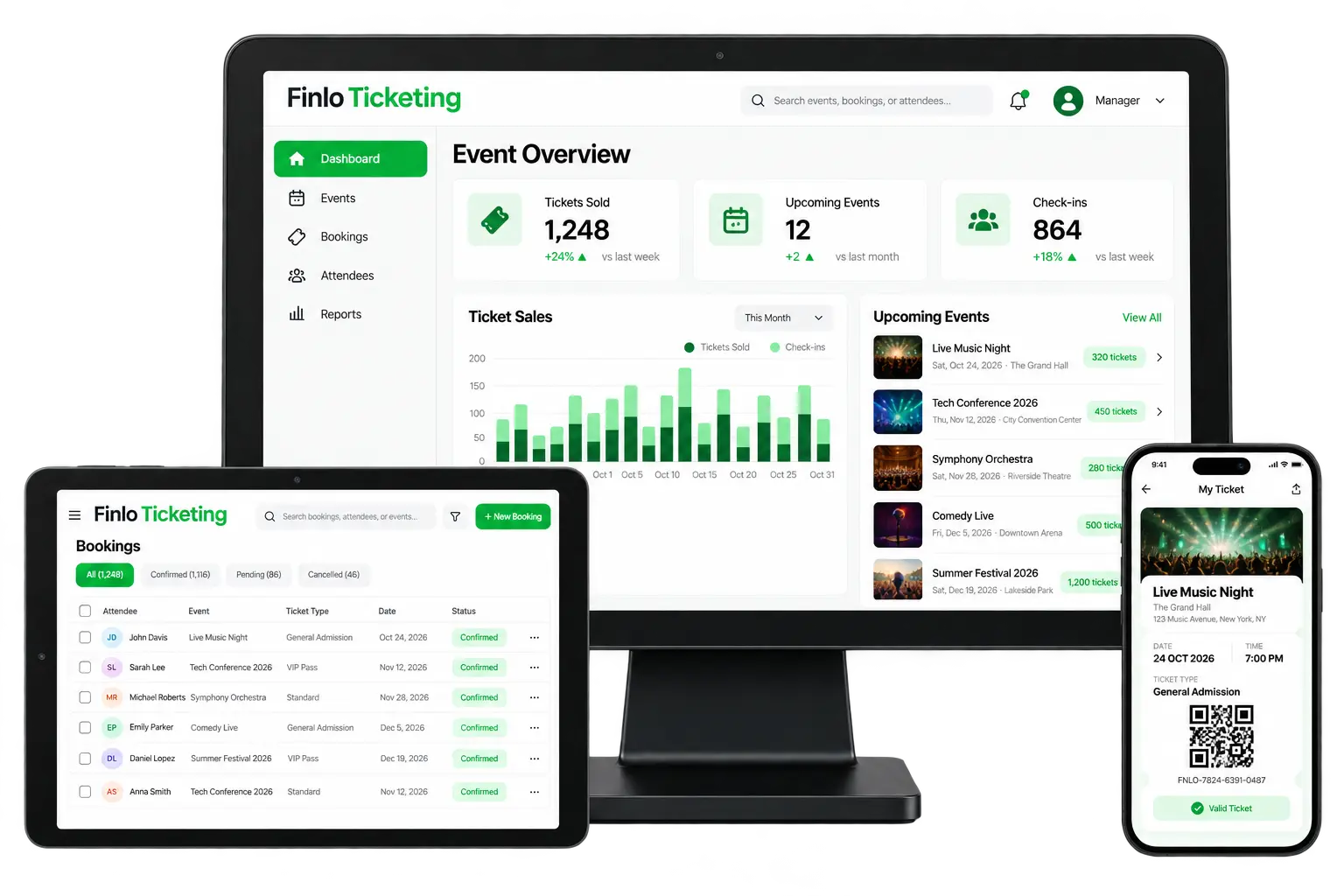
Finlo Ticketing covers the organiser dashboard, booking desk, and attendee mobile ticket in one product.
Track Tickets Sold, Upcoming Events, and Check-ins with sales vs check-in charts.
Publish events with venues, dates, and ticket types like General Admission or VIP.
Filter Confirmed, Pending, or Cancelled — search attendees and create bookings on the spot.
Guests open “My Ticket” with event details, QR, ticket ID, and a Valid Ticket badge.
Scan at entry to update attendance KPIs in real time and stop duplicate entry.
See sales and check-in trends across the event calendar for better planning.
From publishing an event to walking guests through the gate.
Set up the event, venue, and ticket types.
Take online or counter bookings to Confirmed.
Guest receives a mobile ticket with QR.
Gate staff validate the QR at entry.
Dashboard updates tickets sold & check-ins.
Organisers, box office, and attendees stay on the same live data.
Open Dashboard for KPIs and the sales chart. Use Upcoming Events to jump into Live Music Night, Tech Conference, and more.
On tablet, filter All / Confirmed / Pending / Cancelled. Add a booking with attendee, event, ticket type, and date.
On phone, guests open My Ticket — event art, time, seat type, QR (e.g. FNLO-7824-…), and Valid Ticket status for the scan lane.
High-volume sales with fast QR entry.
Tiered tickets and attendee lists.
Multiple events on one organiser account.
Box office bookings plus online sales.
Sales, bookings, and check-ins update together.
Clear mobile ticket with QR — no paper required.
Scan Valid tickets and watch check-in KPIs climb.
Create bookings on tablet when walk-ins arrive.
Share your event type and expected volume — we’ll show sales, bookings, and QR check-in live.