Manage operations with ease. Assign work, track progress, and keep your team aligned — from one dashboard on desktop, tablet, and phone.
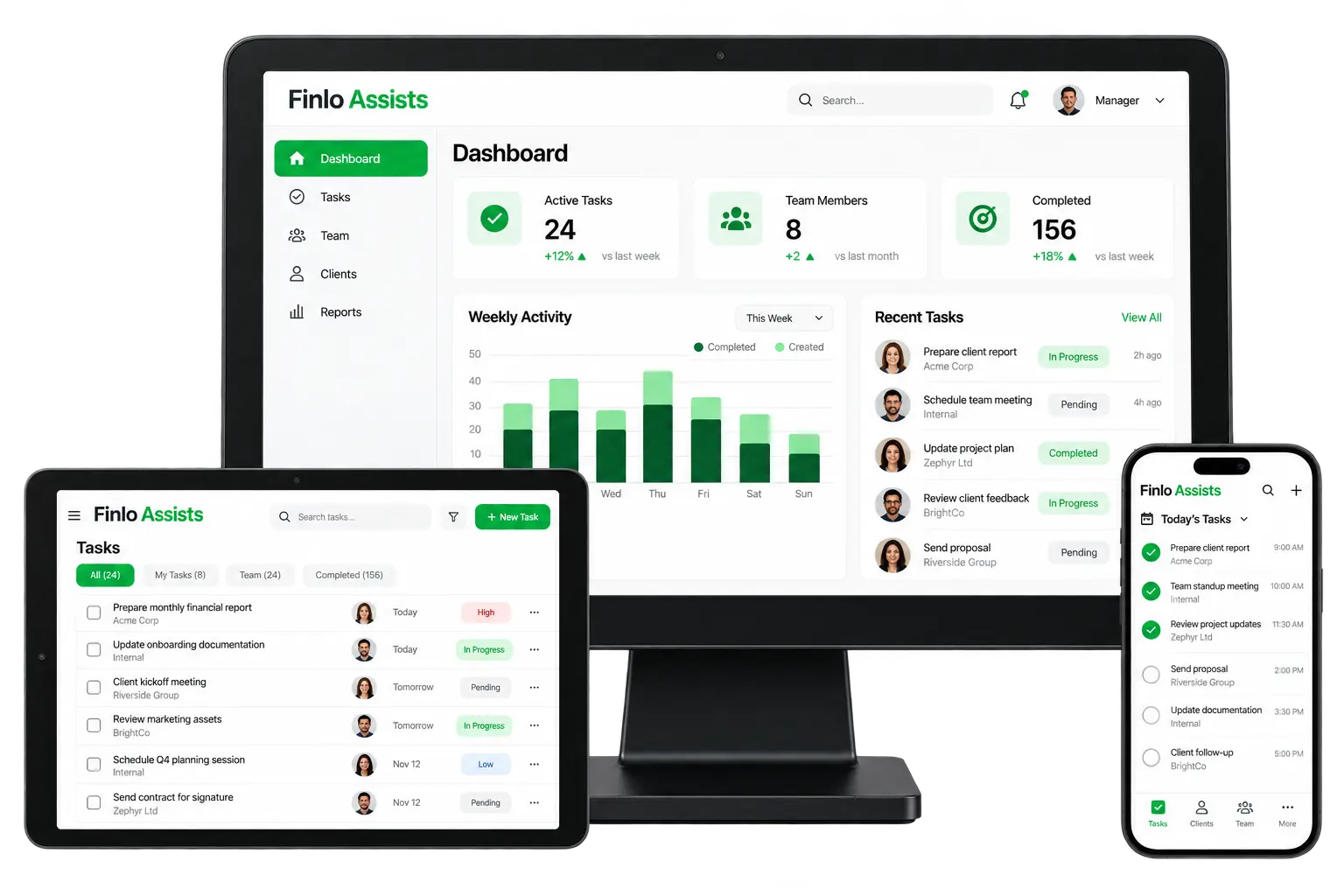
Finlo Assists gives managers live visibility into tasks, people, and completion — so nothing slips through the cracks.
See active tasks, team size, and completed work with week-over-week trends in one view.
Create tasks, set priority, assign owners, and filter by All, My Tasks, Team, or Completed.
Field teams get a clear “Today’s Tasks” timeline with check-offs as work gets done.
Link work to clients and assignees so managers always know who owns what.
High, Low, Pending, In Progress, and Completed tags keep queues readable at a glance.
Weekly activity charts show created vs completed work so you can coach the team with data.
A simple loop from planning to done — designed for managers and on-ground teams.
Add a task with client, due date, and priority.
Give it to a team member from the Assists board.
Watch status move from Pending → In Progress.
Staff complete work from the mobile schedule.
Dashboard KPIs and reports show what’s done.
Everything stays synced across desktop, tablet, and phone.
Start on the dashboard: Active Tasks, Team Members, Completed counts, and the weekly activity chart. Drill into Recent Tasks when something needs attention.
On tablet, open Tasks → filter by team or priority → create with “+ New Task” → assign an owner and due date.
On mobile, open Today’s Tasks, work the timed list, mark items complete, and move on — no spreadsheets required.
Any team that runs day-to-day work across people, sites, or clients.
Coordinate tasks across branches from one board.
Give crews a clear daily schedule on mobile.
Track client-linked work and due dates.
See load, backlog, and completion in real time.
Assignments and status live in one place.
Every task has an assignee, due date, and priority.
KPIs and activity charts replace guesswork.
Mobile schedule keeps ground staff productive.
Tell us about your team size and workflows — we’ll show you a live walkthrough.